Pixel 6 Radio OFF and Airplane Mode Loop: Diagnostic Guide
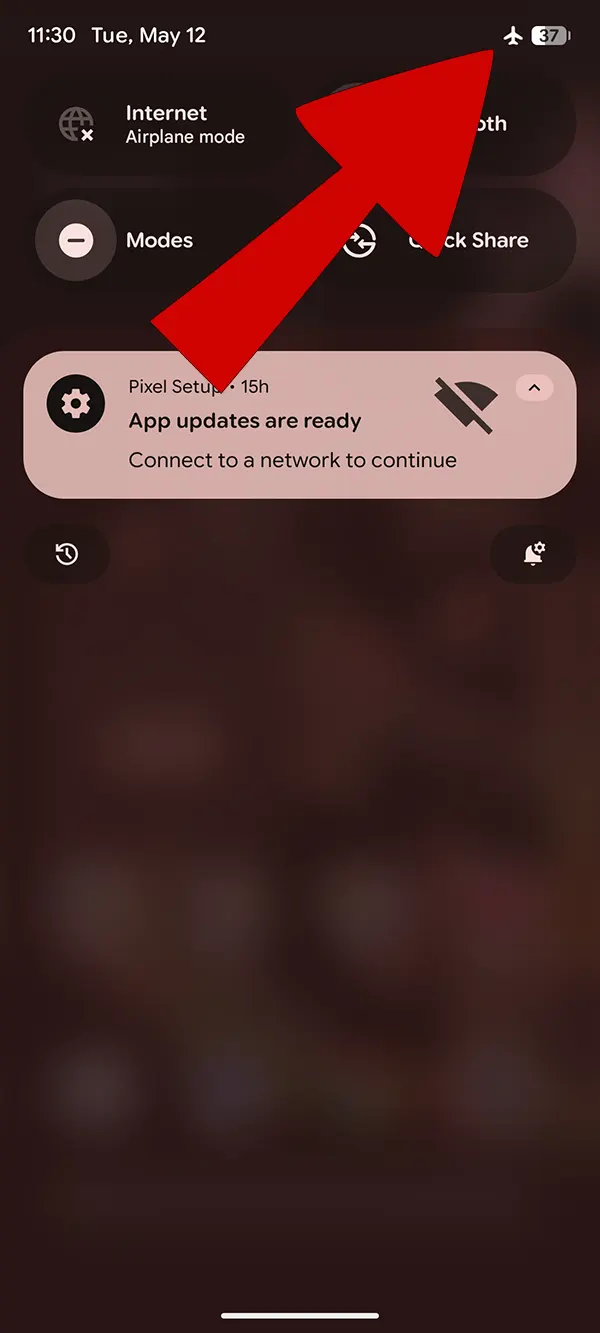
Radio OFF, No Service, and an Airplane Mode toggle that will not stay off are symptoms with several possible causes. On a Pixel 6, 6 Pro, or 6a, they can follow a failed update, a mismatched radio image, an unsupported repair operation, damaged device-specific calibration data, carrier provisioning problems, or hardware failure. A valid IMEI by itself does not prove that the modem, calibration data, and Android radio interface are healthy.
This page documents a diagnostic sequence. It does not establish that every affected phone is in a factory mode, and it does not claim that a third-party “Disable Factory” button is supported on every bootloader or Android build.
Record the exact failure first
Before changing partitions, record:
- the exact model and codename:
oriole,raven, orbluejay; - the Android build number and security patch level;
- the baseband version shown in Settings → About phone → Android version;
- whether
*#06#shows the original factory IMEI, zeros, or nothing; - whether the problem began after an OTA, a factory-image flash, a repair tool, or physical damage;
- the output of
adb shell getprop | findstr /i basebandwhen Android and ADB are available; and - the complete fastboot or tool log from the operation that preceded the failure.
Do not publish or share a full IMEI, serial number, or other device identifier in screenshots or logs.
Use the symptom to choose the next check
| Observation | What it establishes | Next safe check |
|---|---|---|
| Baseband version is present and the original IMEI is readable | Android can read some modem identity information | Test the SIM/eSIM and carrier account, then capture radio logs |
| Baseband is unknown or missing | The modem firmware may not be loading | Compare the installed build with Google’s matching factory image |
| IMEI is zero or absent | Identity data is unreadable; the cause is not established | Stop writes and preserve all available original-device backups |
| Airplane Mode returns automatically | A framework, modem, policy, or hardware fault is present | Capture logs instead of assuming a factory-mode flag |
| The problem follows a third-party partition write | That write is a strong correlation, not proof of one damaged partition | Restore only from a verified backup made from the same device |
Establish a known software baseline
Use the current Android SDK Platform Tools and Google’s factory-image documentation. Match the model and build exactly. Unlocking the bootloader erases user data, and flashing a factory image can erase data depending on the method and script options.
Do not flash a radio, devinfo, calibration, or other device-specific image copied from another phone. Do not downgrade across an anti-rollback boundary. If the phone cannot boot, preserve the current slot and error output before changing the active slot or writing partitions.
About “Disable Factory” tools and OEM commands
The recorded toolkit interface contains a Disable Factory control:
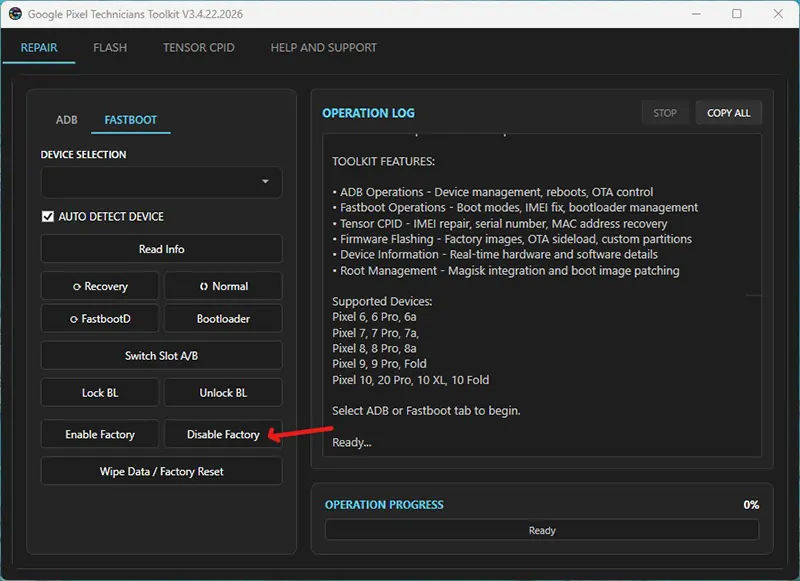
The interface is evidence that the button exists; it is not evidence of the command sent, the partition changed, or compatibility with a particular bootloader. Before using it, obtain the exact executable version and hash, capture its log, and confirm the operation on the same model and build. A success message only proves that the program reached its own success path.
If an undocumented fastboot oem command returns OKAY, separately verify that the reported device state changed and that the result survives a reboot. An accepted command does not prove that cellular service was repaired.
Validate the result
After any authorized repair or official-image restoration, record all of these results:
- The phone completes two cold boots without a boot warning or loop.
- Airplane Mode remains off after a reboot.
- The original factory IMEI is readable without exposing it publicly.
- The baseband version is present.
- A known-good SIM or eSIM registers, places a call, and transfers mobile data.
- Wi-Fi and Bluetooth still operate.
- The result persists across another reboot.
Signal bars appearing immediately are not a sufficient test. Carrier provisioning, SIM state, coverage, and hardware faults remain independent variables.
Bootloader relocking
Relocking erases user data. Relock only after the phone contains a complete, model-matched stock image, boots normally, and passes verified-boot checks. Relocking a phone with modified or mismatched partitions can make recovery harder.
Video record
The following recording shows one workflow. Treat the device, build, tool version, commands, and observed output in the recording as its test boundary.
Hardware damage, missing original-device calibration data, or a modem that cannot initialize requires model-specific service diagnostics. Software commands cannot repair a failed RF component or reconstruct undocumented factory data.