UnlockTool iCloud Bypass: SN Method, Compatibility and Recovery Options
Updated: September 26, 2026
UnlockTool’s serial-number, or SN, workflow is often described as a free iCloud bypass for older iPhones and iPads. That description leaves out the most important distinction: reaching the setup screen through a service workflow is not the same as removing a device from its owner’s Apple Account. This guide explains the recorded workflow, what the screenshots actually establish and which compatibility claims still need device-specific evidence.
There is no verified universal promise here of free activation, cellular service or survival after every update and reset. If you are the owner, first check whether account recovery or Apple’s Activation Lock support can resolve the problem without low-level device modifications.
Identify the lock before choosing a tool
An iPhone Locked to Owner screen concerns Activation Lock. It is different from a forgotten screen passcode, a SIM carrier restriction or an organization-managed device. Record the exact wording rather than describing every setup problem as “iCloud locked.”
Apple explains that Find My links the device to an Apple Account and that activation or recovery checks this association with Apple’s servers. Erasing the phone does not necessarily remove it. Read Apple’s Activation Lock explanation.
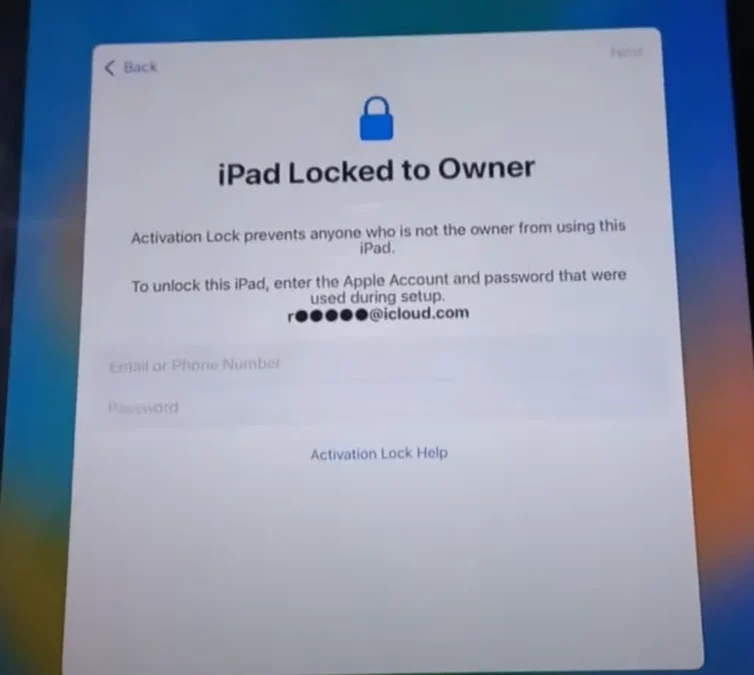
What the UnlockTool SN method refers to
The older demonstration combines several distinct operations: opening Apple service functions, using a low-level service environment, changing identity data, loading a ramdisk and running a function labeled Bypass Hello. These are not interchangeable with signing out of an Apple Account.
The screenshots below preserve that demonstration. They show interface labels and stages, not a current compatibility certificate. A successful write message alone does not establish that activation, notifications, cellular service, updates and factory resets will all work afterward.
Apple service interface
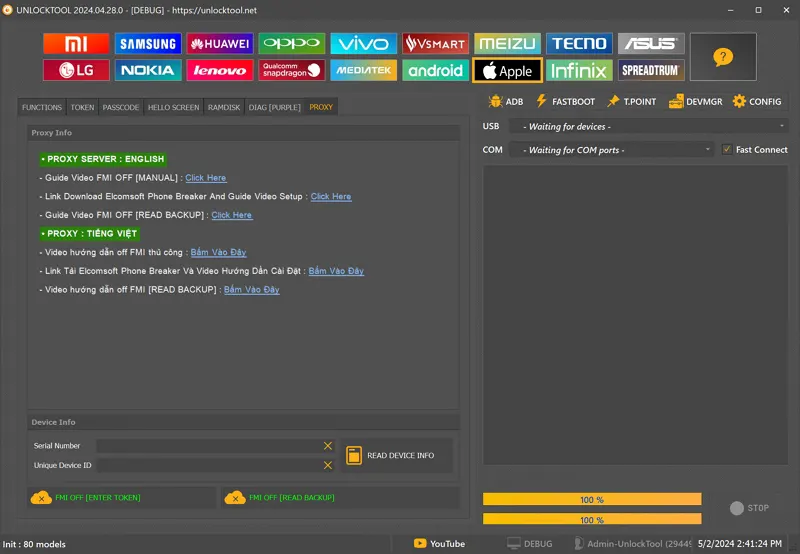
Serial-number service stage
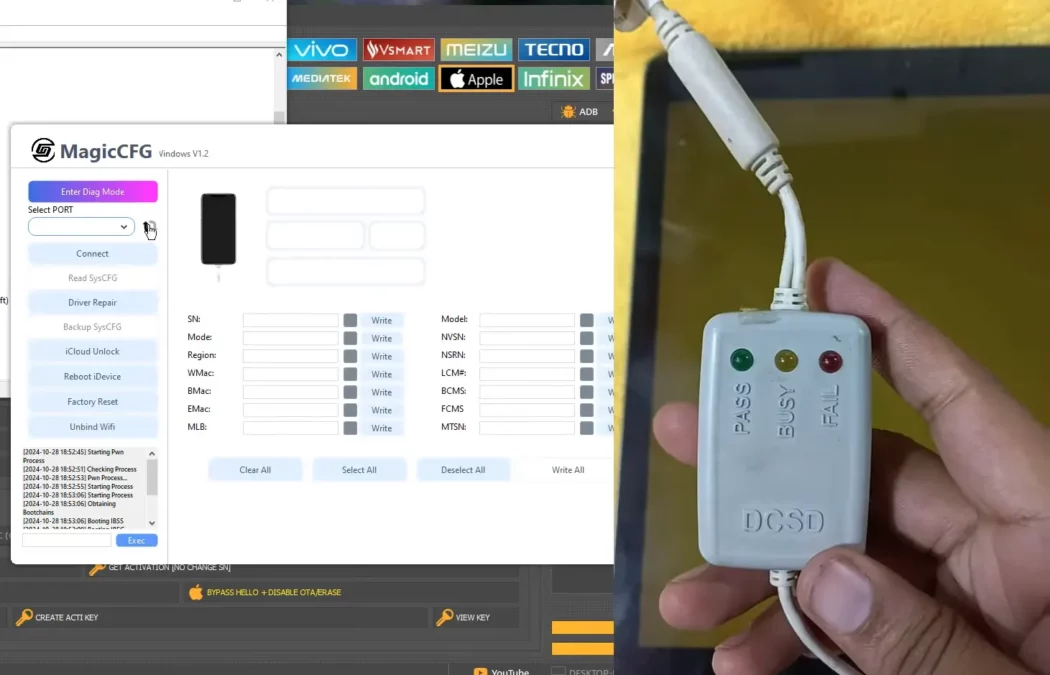
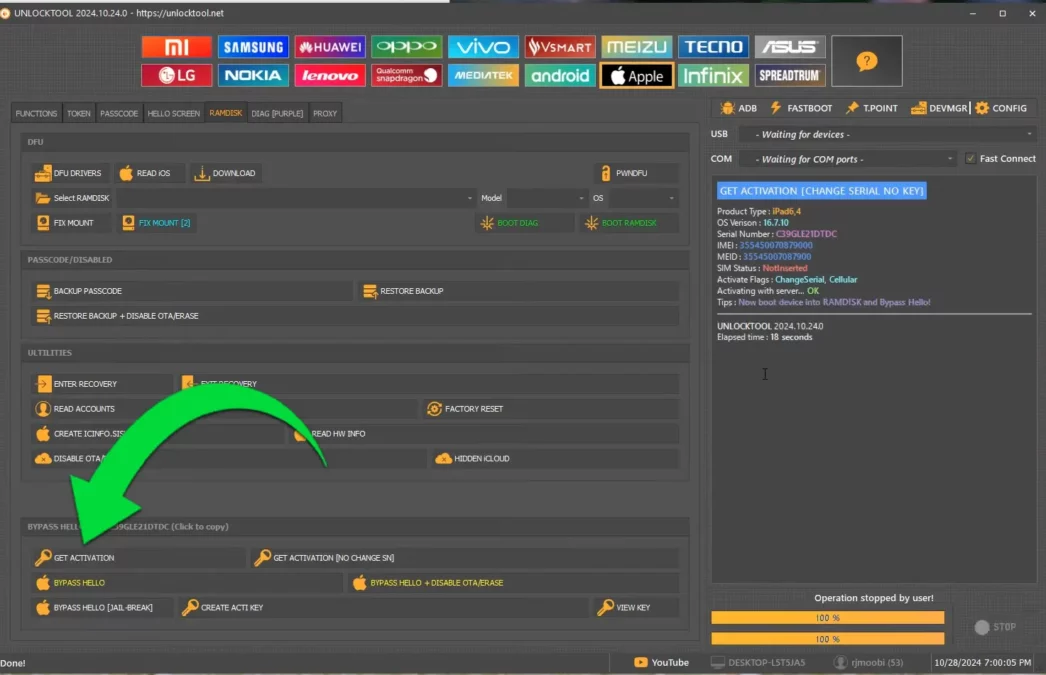
Ramdisk and final-operation screens
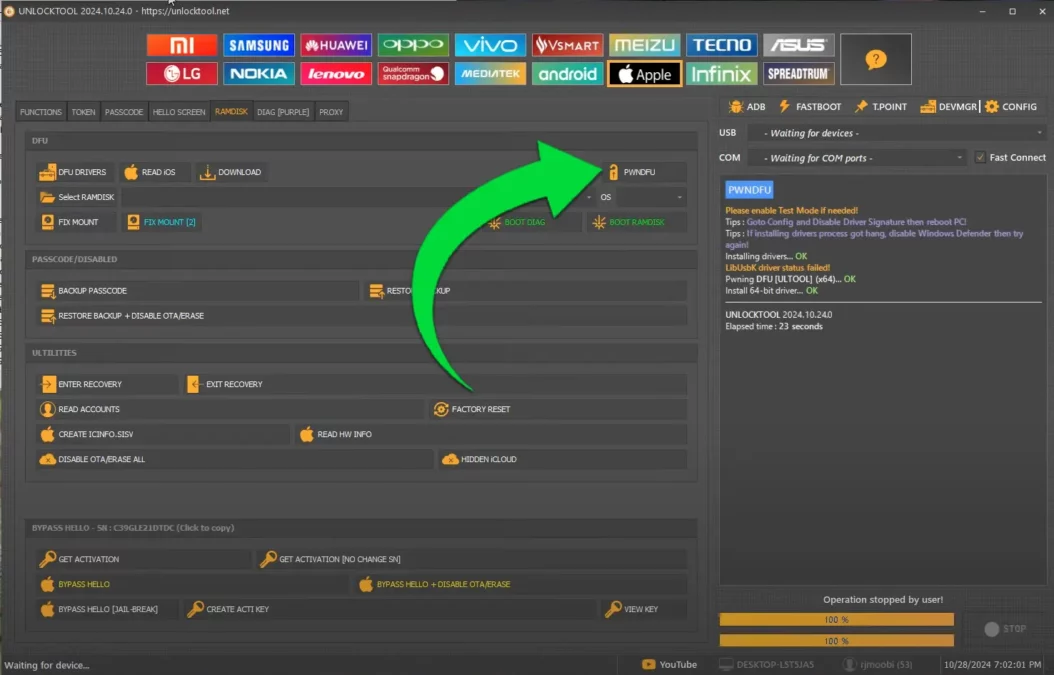
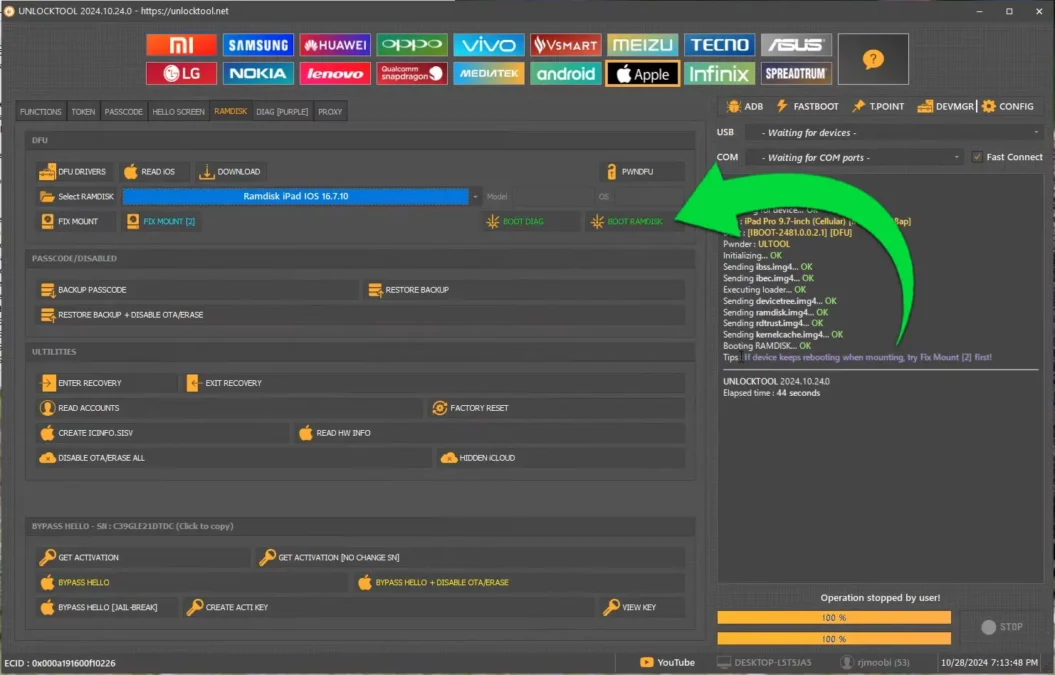
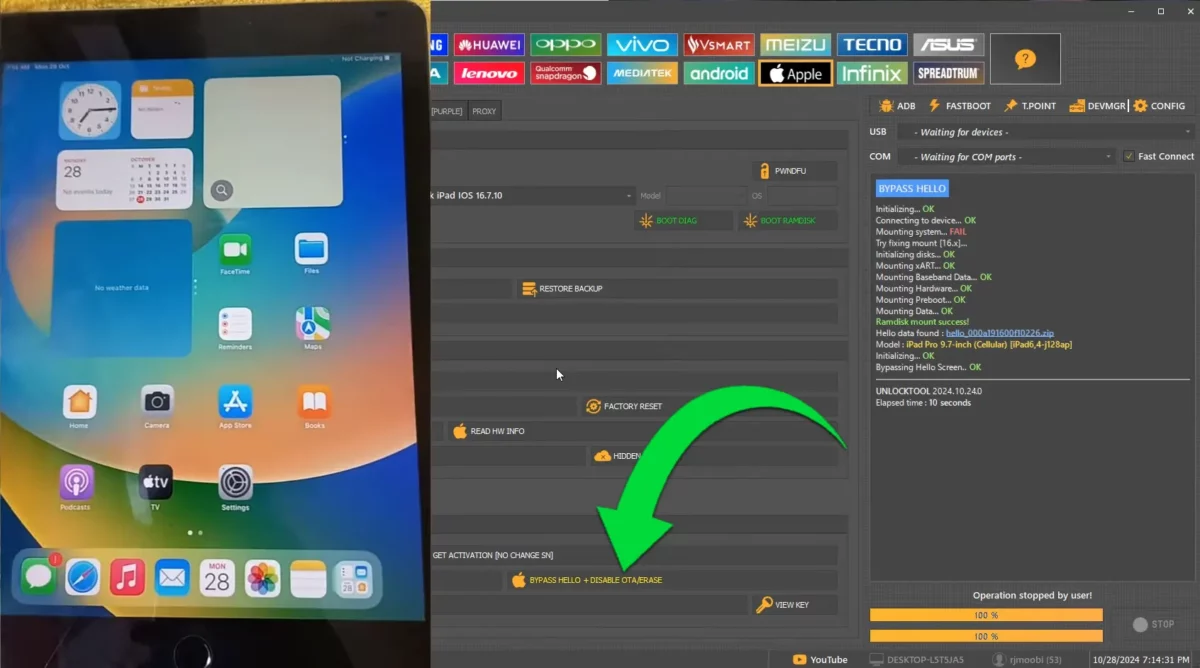
Compatibility checks that matter
Do not use a chipset range as a substitute for a support list. A hardware exploit affecting a chip family does not prove that the same service procedure, cable or activation behavior works across every product using those chips.
The former description also mixed iPhone iOS support with iPadOS support. For example, Apple’s release records list iPhone 8 and iPhone X on the iOS 16 branch, while iOS 17 releases support newer iPhones. Therefore, “iPhone 6S–X on iOS 15–17” is not a valid blanket compatibility statement. Apple security release records identify the devices covered by each release.
Record the following before assessing a proposed repair:
| Item | Why it matters |
|---|---|
| Exact product and model number | Similar product names can cover different hardware. |
| Wi-Fi or cellular iPad variant | Connectivity capabilities and service procedures can differ. |
| Installed iOS or iPadOS build | A version family alone is not a tested build. |
| UnlockTool client version and operation | Support for one function does not establish support for another. |
| Original device identity and repair history | Prior modifications can affect diagnosis. |
| Evidence for the expected result | Distinguish a screenshot of completion from a verified functional device. |
The previous seven-device success-rate claim was not accompanied by an accessible test log. This revision does not repeat that percentage or use it to certify a support matrix.
Preparation and resource access
Preserve any accessible user data before a restore or erase operation. Keep the owner’s account-recovery information available and document the exact error, client version and device state. Avoid buying a replacement serial number or specialist cable simply because a general article calls it mandatory; first establish the exact supported task.
For software background and the existing publisher links, use the GSM6 UnlockTool review. This link opens a review, not an installer. The publisher site is UnlockTool; current pricing and service support could not be independently verified during this revision. There is no verified zero-cost offer in this article.
The previous cable purchase link was a placeholder and has been removed. No replacement seller or download has been invented.
Owner-authorized Activation Lock recovery
These are the supported recovery routes documented by Apple, separate from the historical service demonstration above.
Check the account used on the device
Follow the activation screen with the Apple Account credentials used to set up the device, or a device passcode when that option is offered. If the account details are forgotten, use Apple’s account-identification or password-reset process rather than repeating firmware restores.
Ask the previous owner to remove the device
For a legitimately transferred device, the previous owner can use Find Devices on the web and the applicable removal steps. They should enter credentials themselves; there is no need to share their password with a buyer or technician.
Contact the organization or Apple
For a business or school device, contact the administrator. If you have proof of purchase and need Apple’s assistance, use its Activation Lock support-request process. A support request is subject to Apple’s review, not an automatic approval.
The full instructions and account-recovery links are in Apple’s Activation Lock removal guide.
Troubleshooting without guessing the cause
| Symptom | What to establish next |
|---|---|
| Computer does not detect the device | Check a known-good data cable, USB port, drivers and the actual device mode. |
| Service operation reports a write failure | Save the log and check the exact supported operation before retrying. |
| Device reaches setup but activation fails | Record the activation error and account state; a write success is not activation success. |
| Cellular service is unavailable | Separate SIM/carrier, modem, account and prior-repair factors; the screen alone does not prove a serial-number mismatch caused it. |
| Device bootloops after a change | Stop repeating writes, preserve the error record and assess the correct manufacturer recovery procedure and backup status. |
Do not turn a possible explanation into a diagnosis. In particular, this guide does not claim that every “No Service” condition is permanent or has the same cause.
Existing video demonstration
The original walkthrough remains available for visual context. Its menus and results must not be treated as proof that the same operation works on a different device or a later software build.
What to verify before calling a repair complete
Document the final activation state, normal reboot behavior and the functions the owner needs. For a cellular device, check cellular service separately from Wi-Fi. Record any remaining limitation instead of describing a partially functional device as fully unlocked.
The practical conclusion is narrow: the old SN demonstration is not evidence for a universal, permanent or free iCloud unlock. An owner-authorized account-resolution route and a documented device-specific service result are different things and should be described that way.